
Sharing & Distribution
How to Share Your Survey via Link or Email

Sharing your survey with others is simple! You can easily share your survey through a custom link or via email.
Here’s how you can do it:
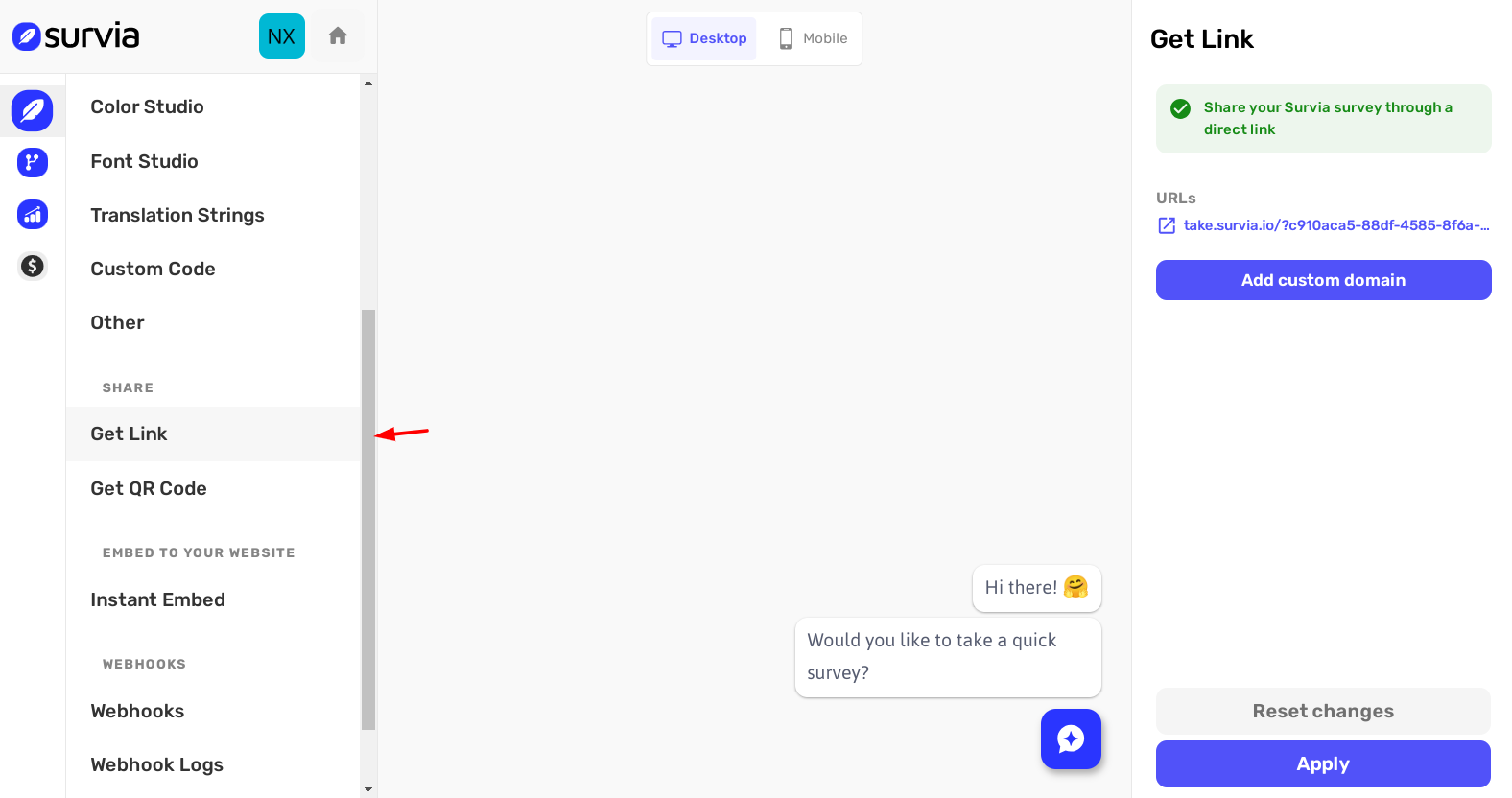
Step 1: Get Your Custom Survey Link
Once your survey is ready, head to the Get Link page. Here, you’ll find a unique link for your survey widget. This link can be used anywhere you want to share your survey, whether on social media, websites, or other platforms.
Step 2: Share the Link Anywhere
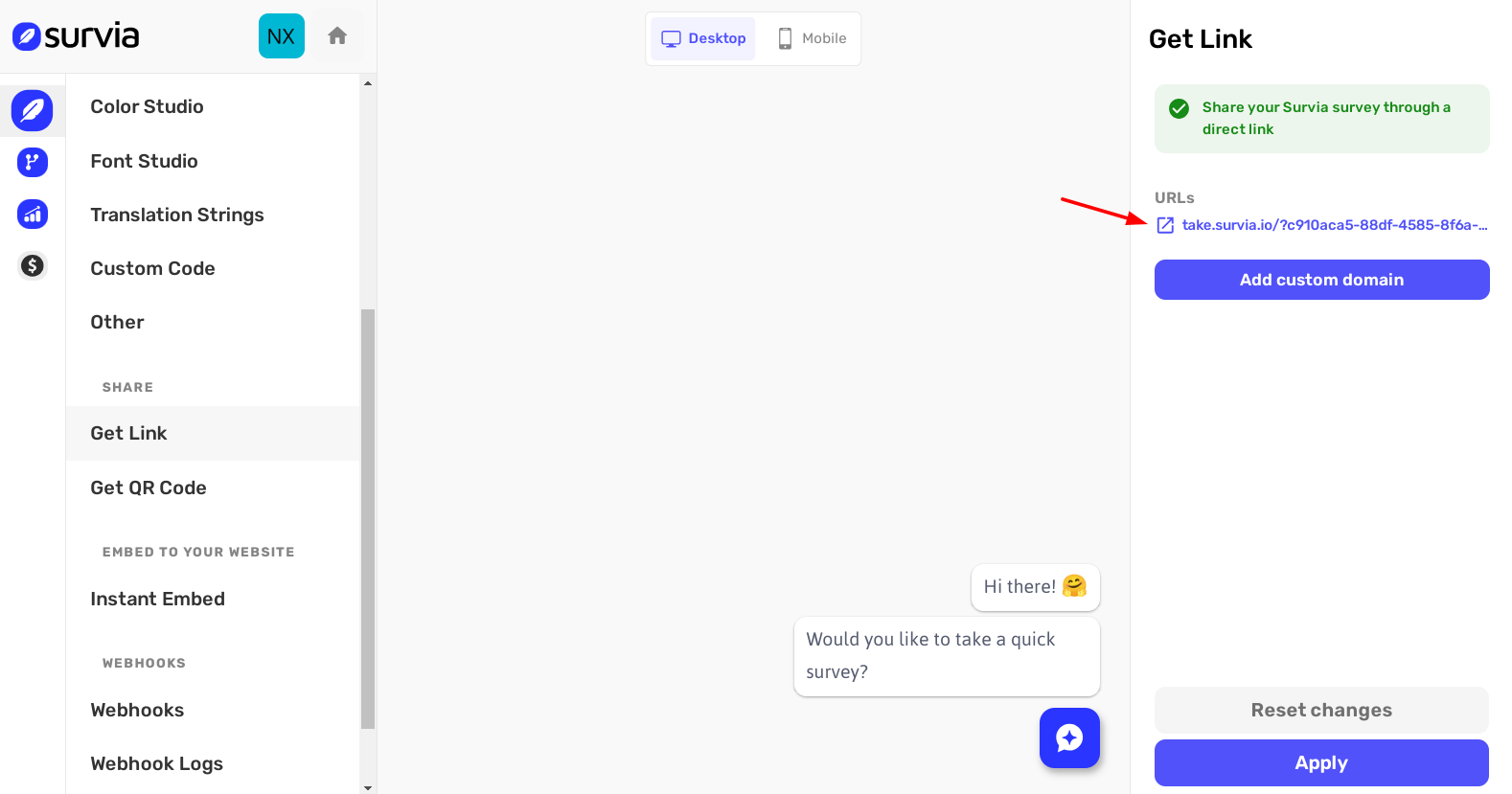
Copy the custom link and share it through any channel you prefer:
Email: Paste the link into your email and send it to your contacts. Social Media: Share the link on Facebook, Twitter, or any other platform. Website: Add the link to your website for easy access by visitors.
Step 3: Share via Email
To share your survey via email, simply copy the custom link from the Get Link page and paste it into your email. You can write a short message to explain the purpose of the survey and encourage your recipients to participate.
Here’s an example of what you might write:
“Hi [Name],
We’d love to hear your thoughts!
Please take a moment to complete our survey by clicking the link below:
[Survey Link]
Your feedback is important to us, and we appreciate your time!”
Once your email is ready, hit Send and your survey will be on its way to your recipients.
With these simple steps, you can quickly share your survey with a wide audience. Whether through a direct link or email, getting your survey out there has never been easier.
For additional help, visit our Help Center or reach out to our support team.