
Sharing & Distribution
Embedding Surveys on Websites

Embedding your Survia survey on your website is quick and easy with our Instant Embed feature. Once you’ve set it up, your survey will appear across your pages, allowing you to gather responses directly from visitors. Here’s how you can do it step by step!
Step 1: Connecting Your Website
To get started, you’ll need to connect your website to Survia by placing a unique code in the footer of your website. This is a one-time setup.
- Navigate to the Instant Embed page in your Survia account.
- Click the Connect a Website button.
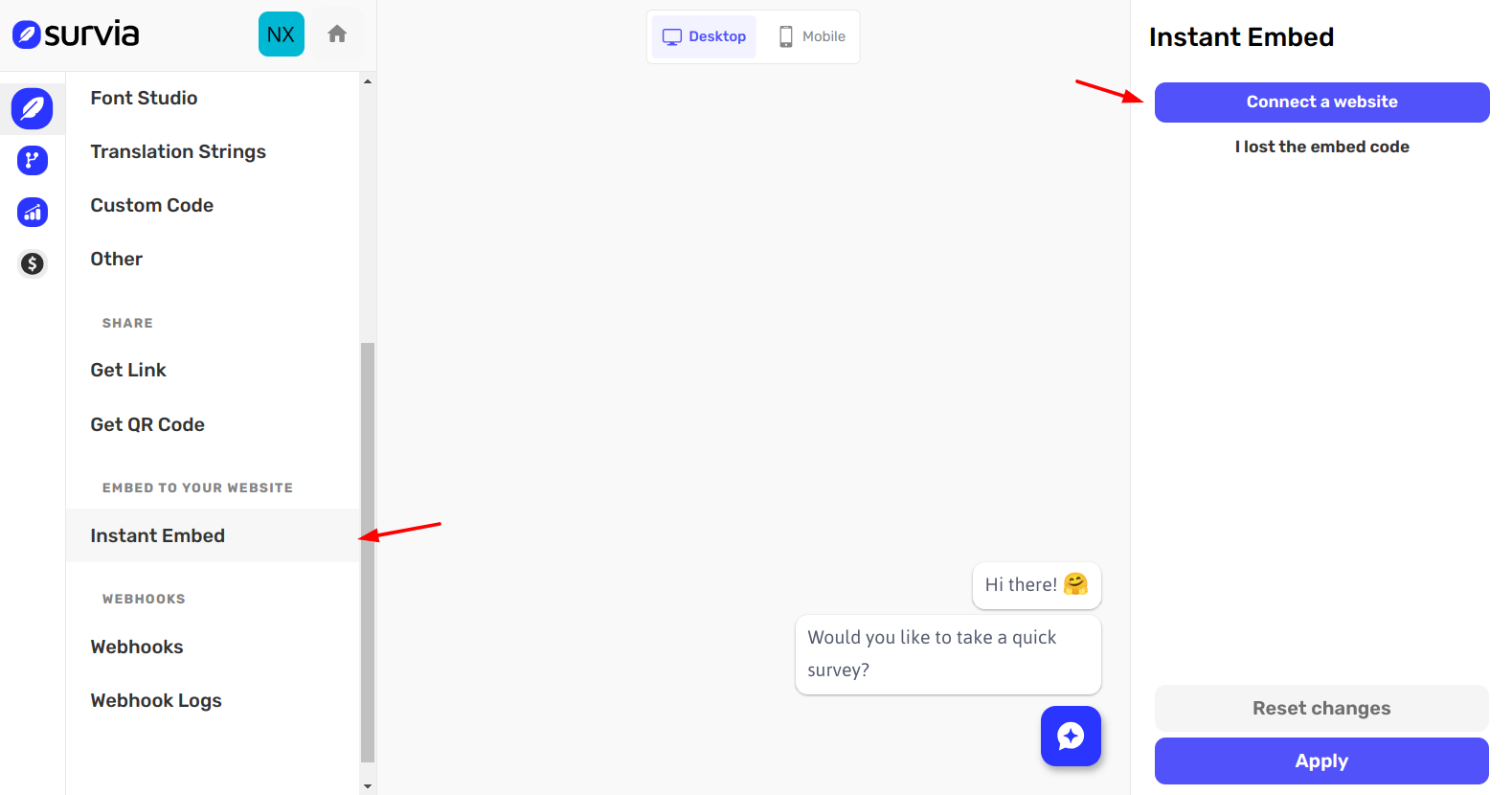
- A modal will appear asking for your website URL.
- Enter your website’s address and click Continue.
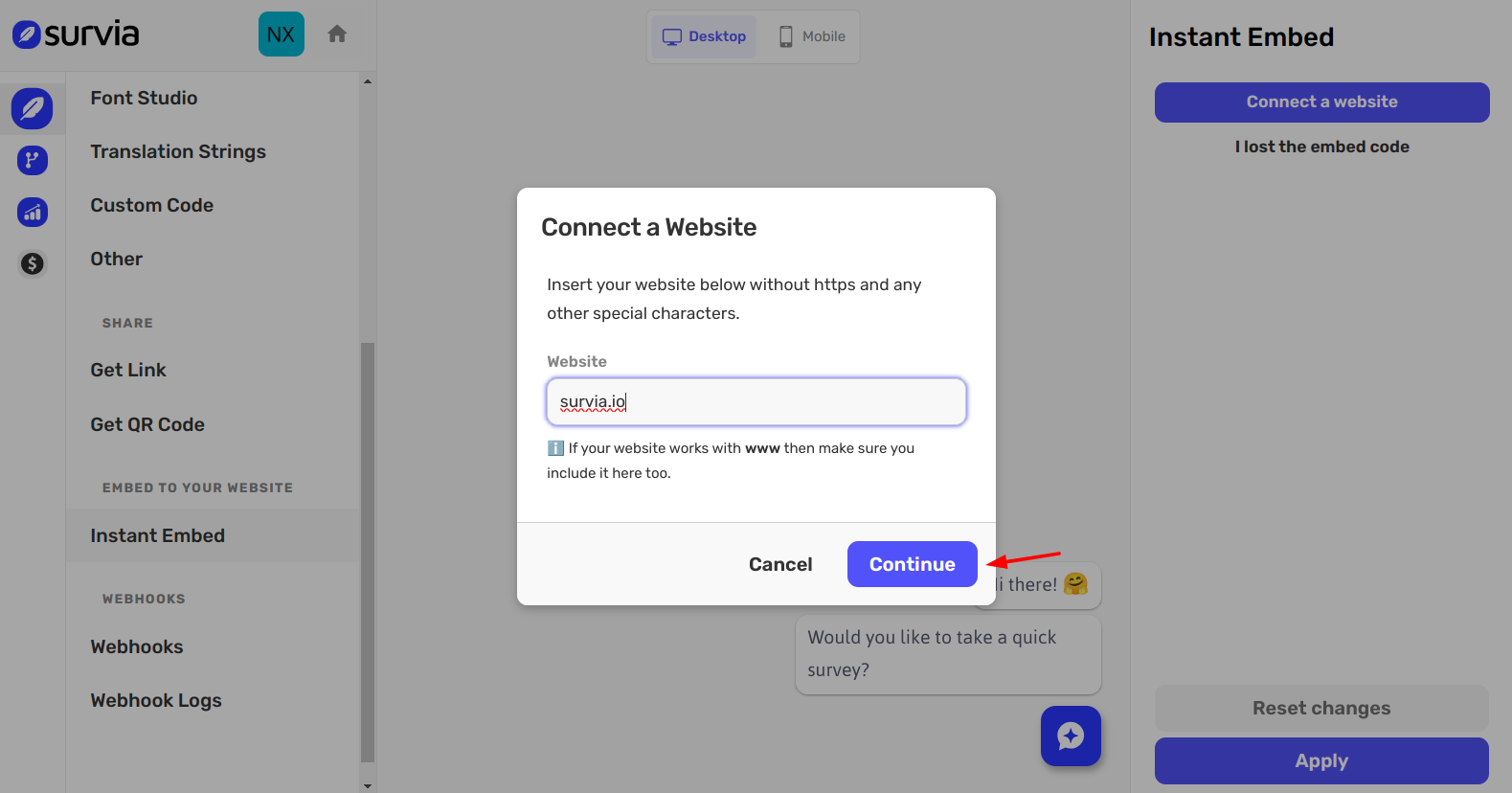
You’ll then receive a unique code for your website.
Copy this code and paste it into the footer of your website’s HTML.
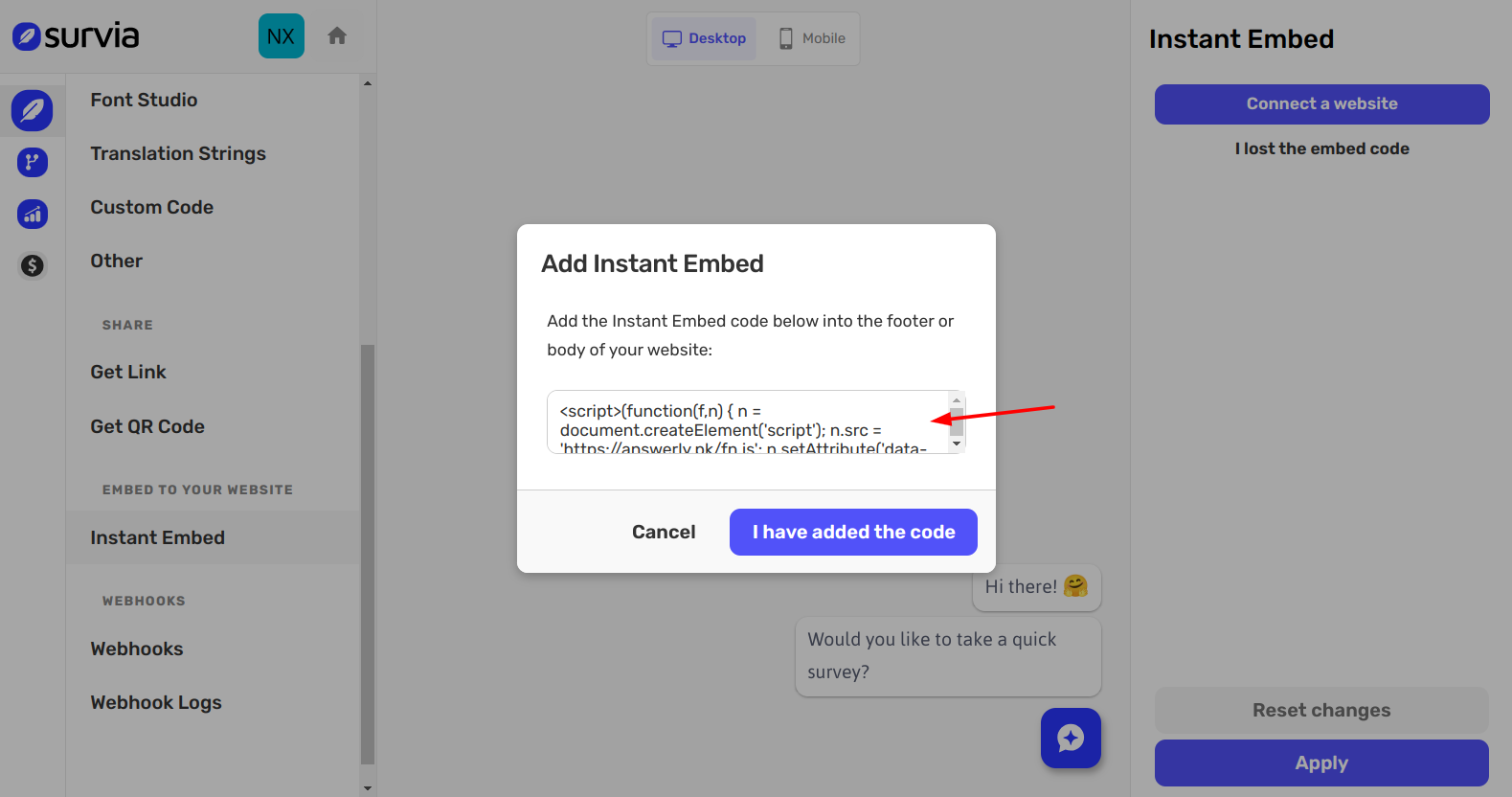
Once the code is added, click the I have added the code button.
Step 2: Verifying the Website
After adding the code, you’ll need to verify that the connection is successful.
Open your website in an incognito browser window and refresh the page a few times.
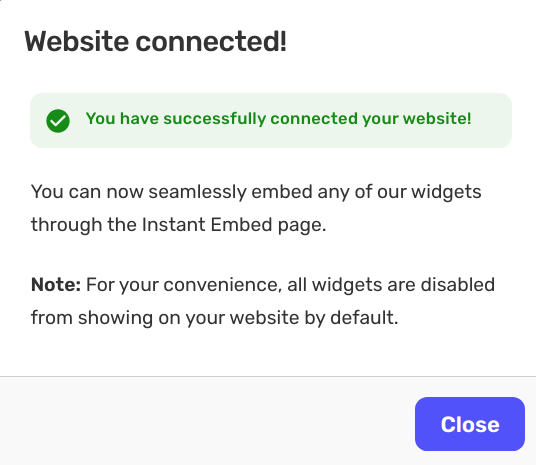
The modal will update, confirming that the website has been successfully verified.
Step 3: Showing the Survey Widget
Once your website is verified, you can display the survey widget on your site.
Go back to the Instant Embed page in Survia.
On the right, you’ll see a list of connected websites.
Find the dropdown labeled In this website and select the setting Show in all pages.
Click Apply to make the survey widget appear across your site.
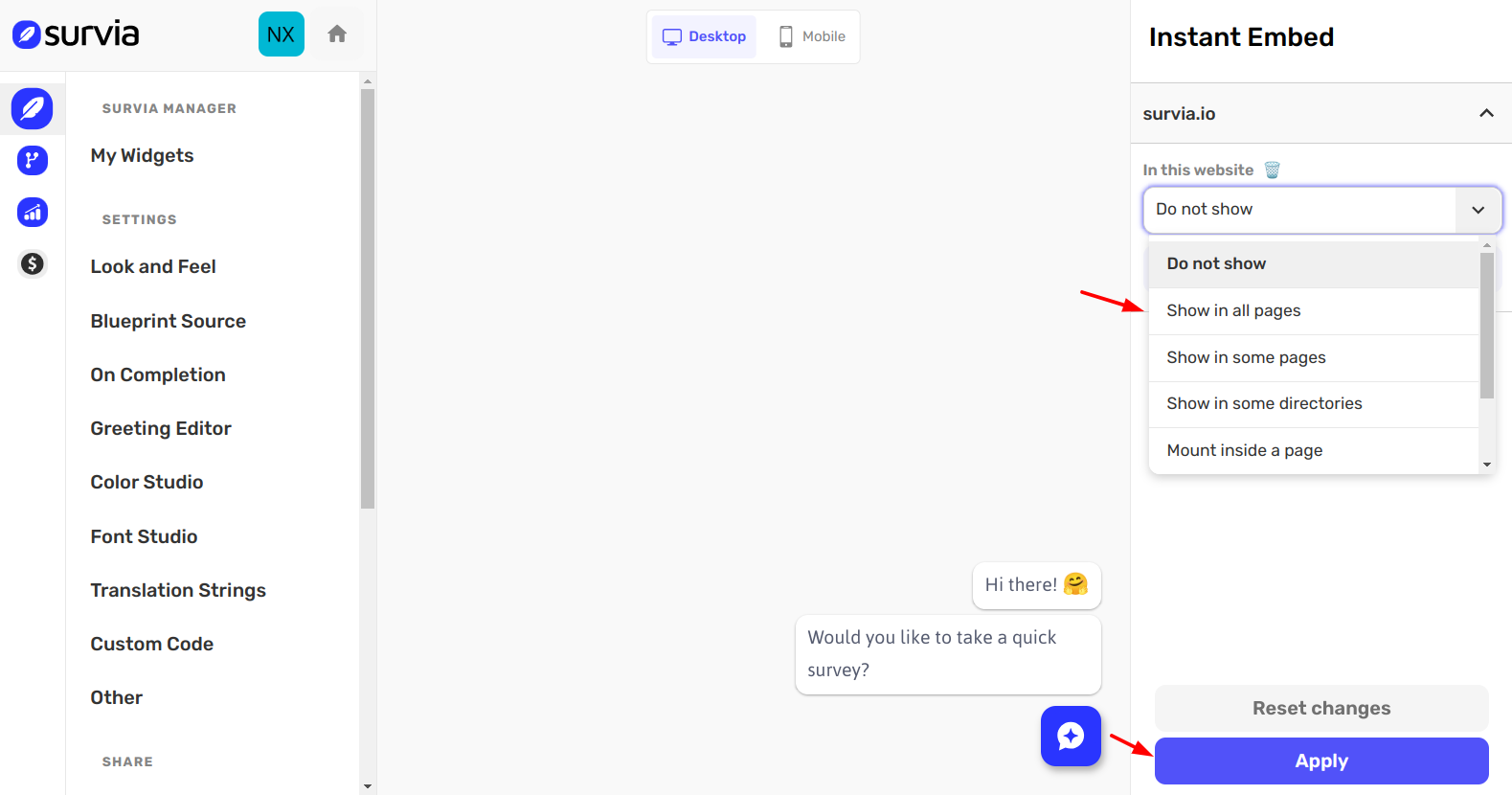
Your survey widget will now be live and ready to collect responses!
Troubleshooting
If you run into any issues with the verification or widget display, here are a few troubleshooting tips:
- Reconnect your website using both versions of your URL (with and without "www").
- Try opening your website in different browsers to rule out browser-specific issues.
- Refresh the page a few times for the connection to update.
That’s it! Your Survia survey is now embedded and ready to go on your website. 🎉 If you need further assistance, feel free to reach out to us at hi@survia.io.
Happy embedding!