
Sharing & Distribution
Creating and Using QR Codes

Sharing your survey is even easier with QR codes! Survia automatically generates a unique QR code for every survey, making it simple for others to access and complete your survey on the go. Here’s how to create and use your QR code.
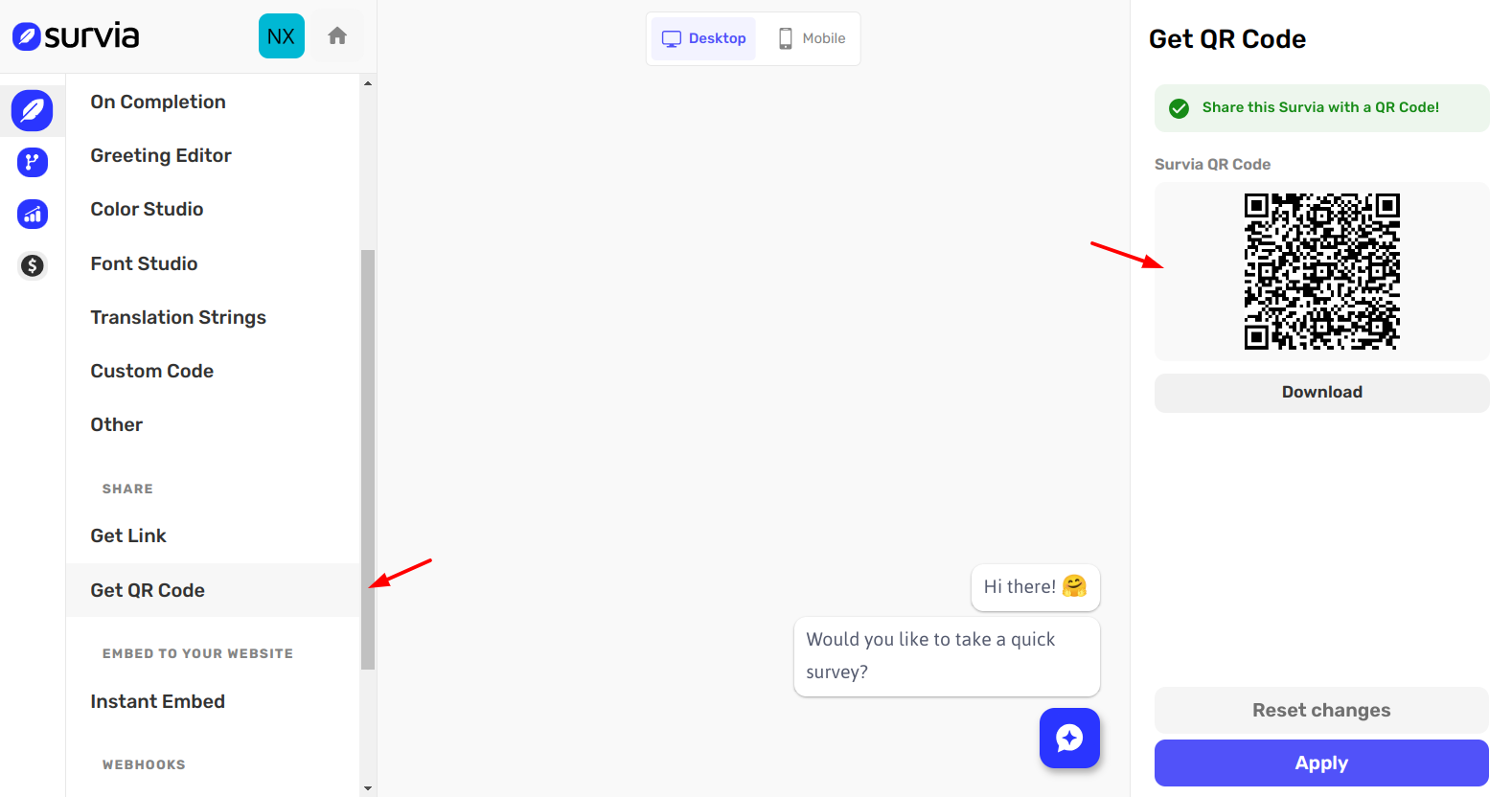
Step 1: Access the QR Code
After creating your survey, go to the Get QR Code page. Here, you’ll see the QR code that’s automatically generated for your survey widget.
Step 2: Download the QR Code
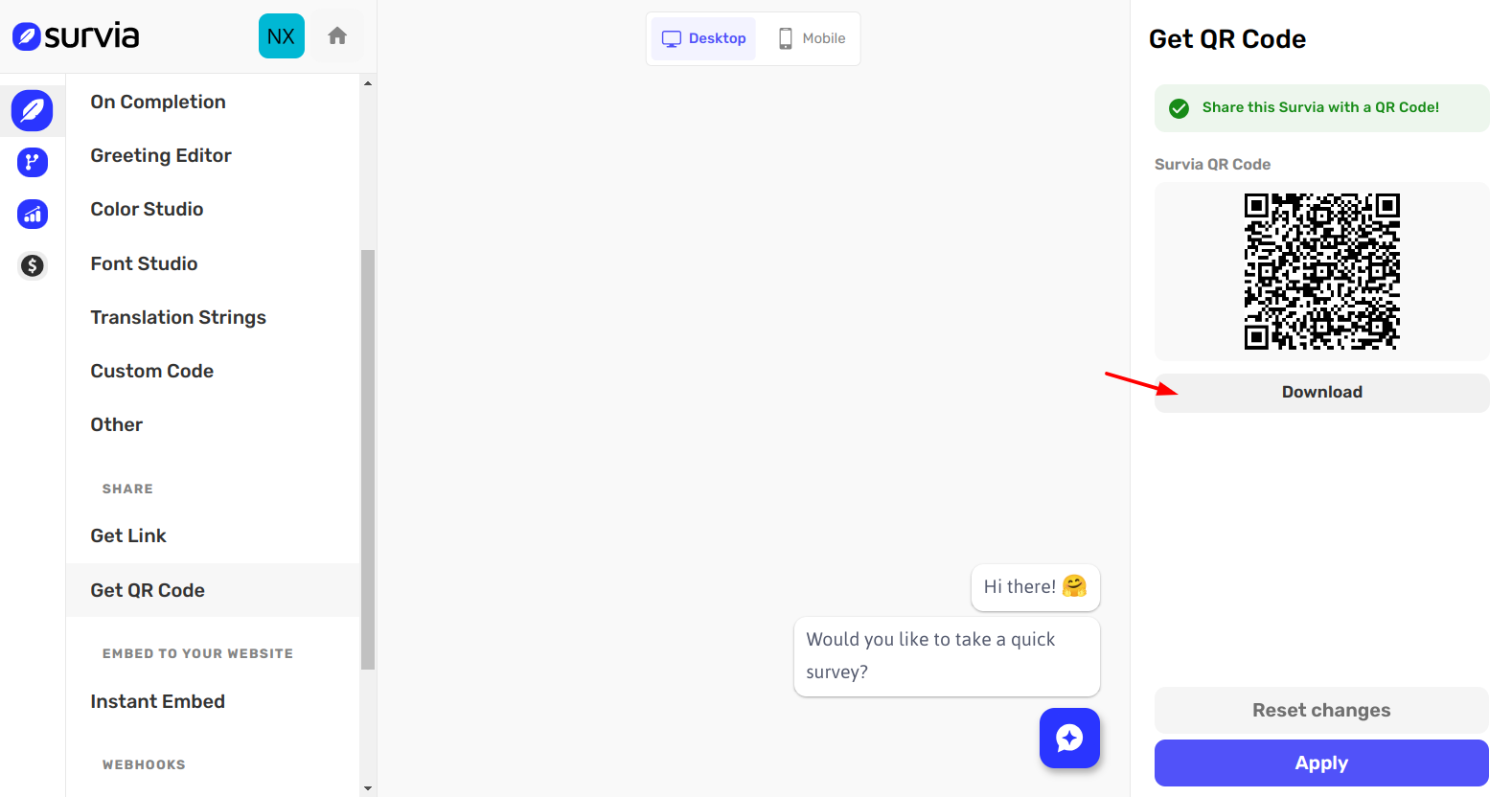
Click on the Download QR Code button to save the image to your device. The QR code will be downloaded in a format that you can use across various media.
Step 3: Share the QR Code
Now that you have the QR code, you can share it anywhere you want:
Print Materials: Add the QR code to flyers, posters, or brochures for offline sharing. Events: Display the QR code at conferences, workshops, or meetings for easy access. Social Media: Share the QR code on social media, allowing your audience to scan it and access the survey directly.
QR codes are a quick and effective way to share your survey and make it accessible to more people. Whether in print or digital form, your audience can scan the code and start answering your questions in seconds.
For further assistance, check out our Help Center or reach out to support.