
Integrations & Customization
Integrating Survia with Other Tools Using Webhooks

Webhooks are a powerful way to integrate Survia with other tools and services. They allow you to automate actions and trigger events based on specific user interactions with your survey. Survia provides several webhook options that can be configured to suit your needs.
Available Webhooks in Survia
Survia allows you to set up webhooks for different actions that take place during a survey interaction. Here are the available webhooks you can use:
-
Visitor Completed Survey
- Trigger: This webhook fires when the visitor completes the survey.
- Use Case: Send the survey responses to another system for analysis or store the data in your CRM.
-
Visitor Greeted
- Trigger: Fires when the visitor is greeted by the Survia widget.
- Use Case: Trigger a notification to let your team know when a visitor is engaging with the survey.
-
Survia Opened
- Trigger: Fires when the visitor clicks on the Survia toggle to open the survey.
- Use Case: Capture when a visitor opens the survey to track interest.
-
Survia Minimized
- Trigger: Fires when the visitor minimizes the Survia window.
- Use Case: Record when users minimize the survey window, possibly to track engagement rates.
How to Set Up a Webhook
To set up a webhook in Survia, follow these steps:
-
Navigate to the Webhooks Page
Head to the Webhooks section in your Survia dashboard.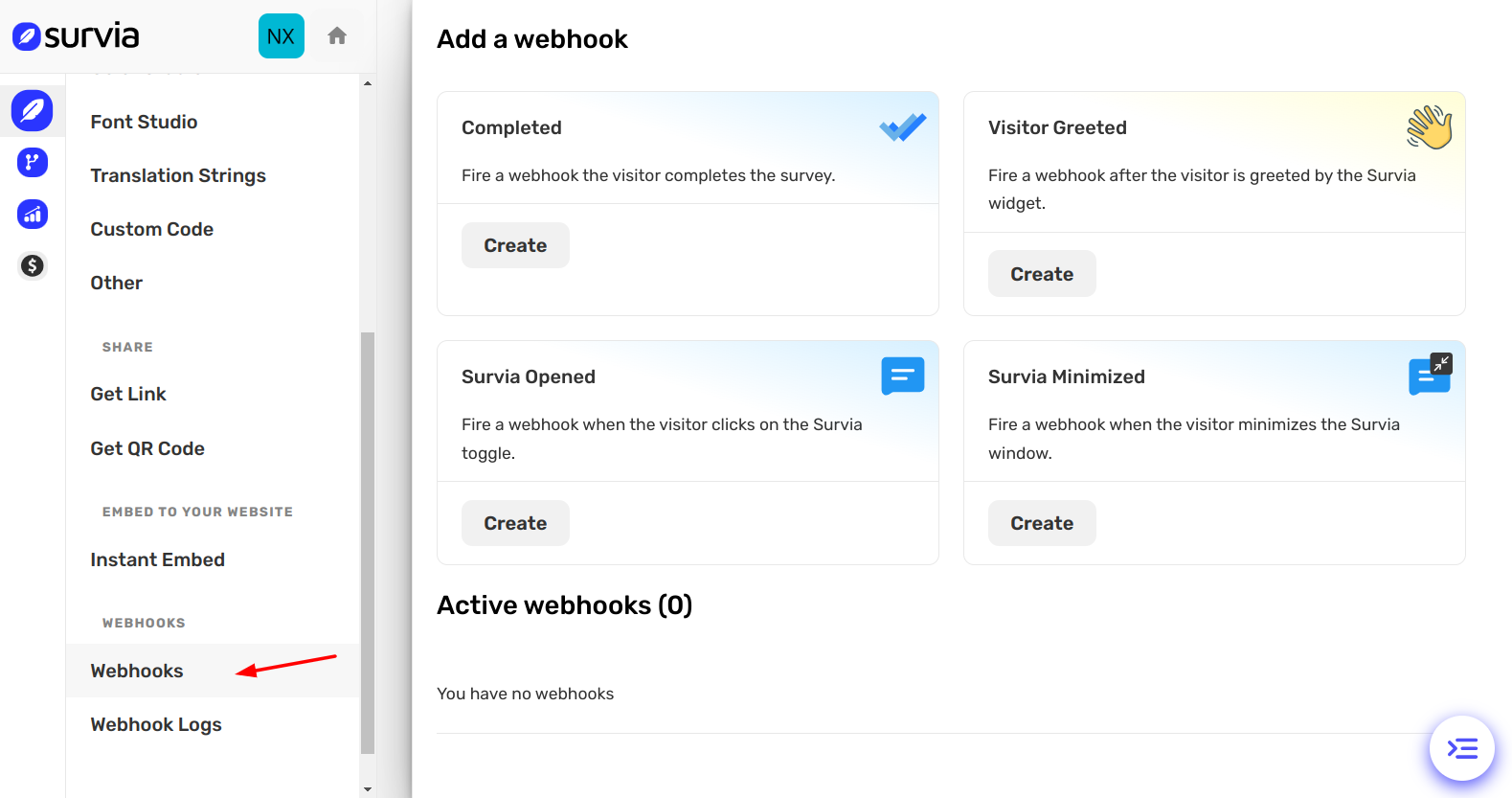
-
Create a Webhook
Choose the action you want to trigger (e.g., Completed, Greeted, etc.). Click on the corresponding Create button.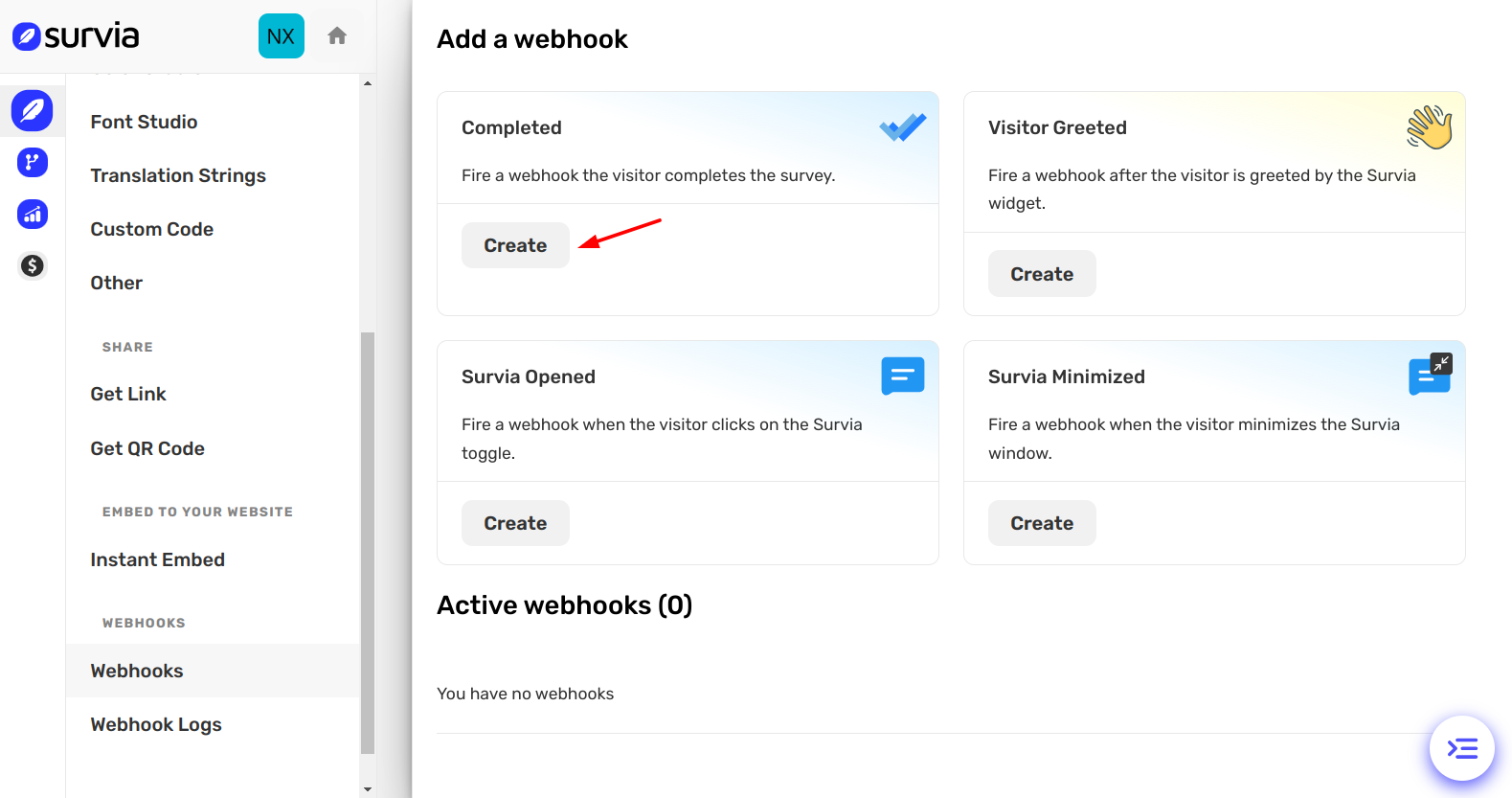
-
Enter Webhook URL
Provide the URL of the service you want to send the webhook to. This could be your server, a third-party tool, or an automation platform.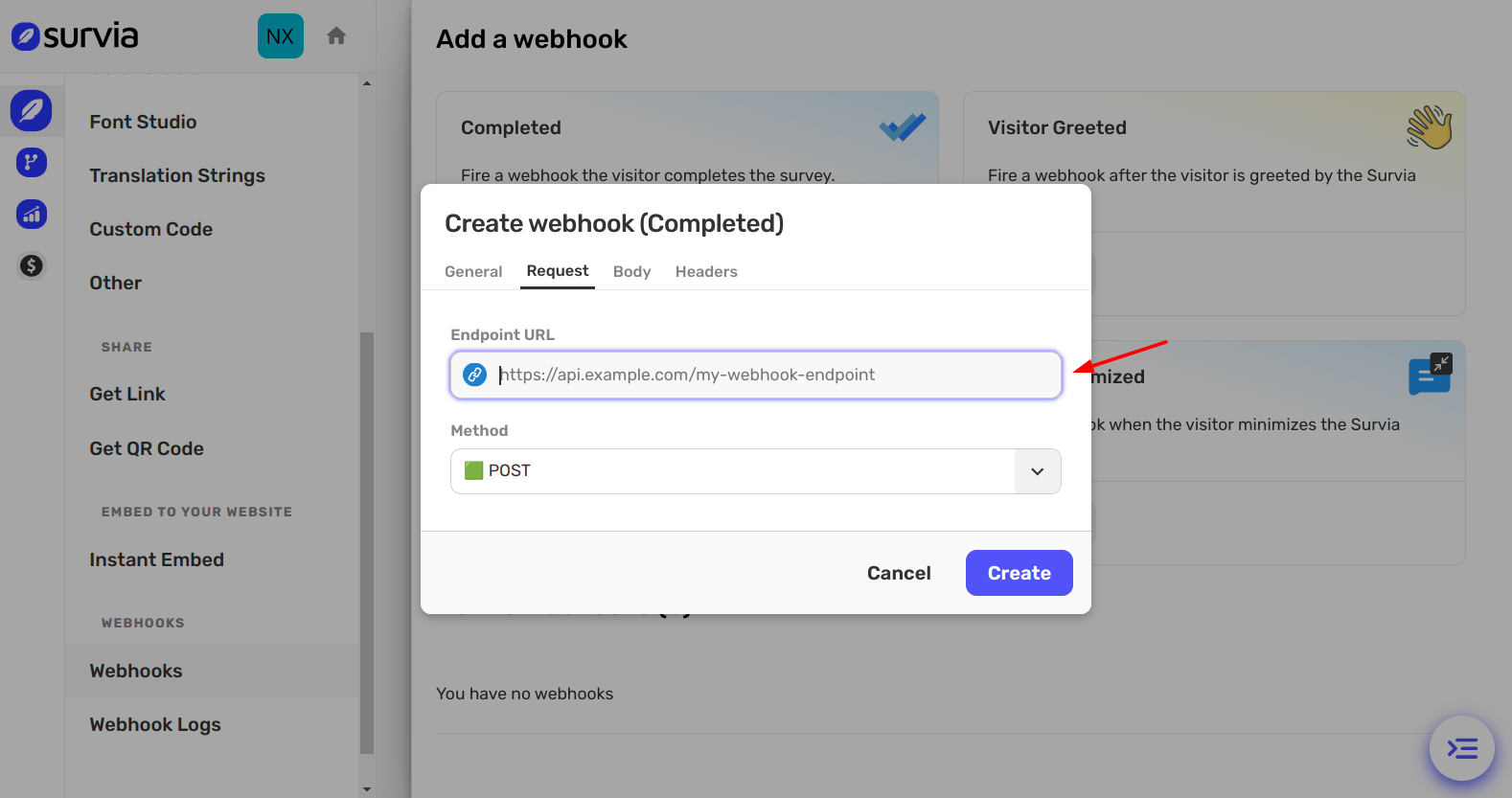
-
Test the Webhook
Once the webhook is created, test it by triggering the corresponding action in Survia. Make sure the data is being sent correctly to your chosen tool. -
Activate the Webhook
After testing, the webhook will be active and will send data as per the configured trigger.
Managing Your Webhooks
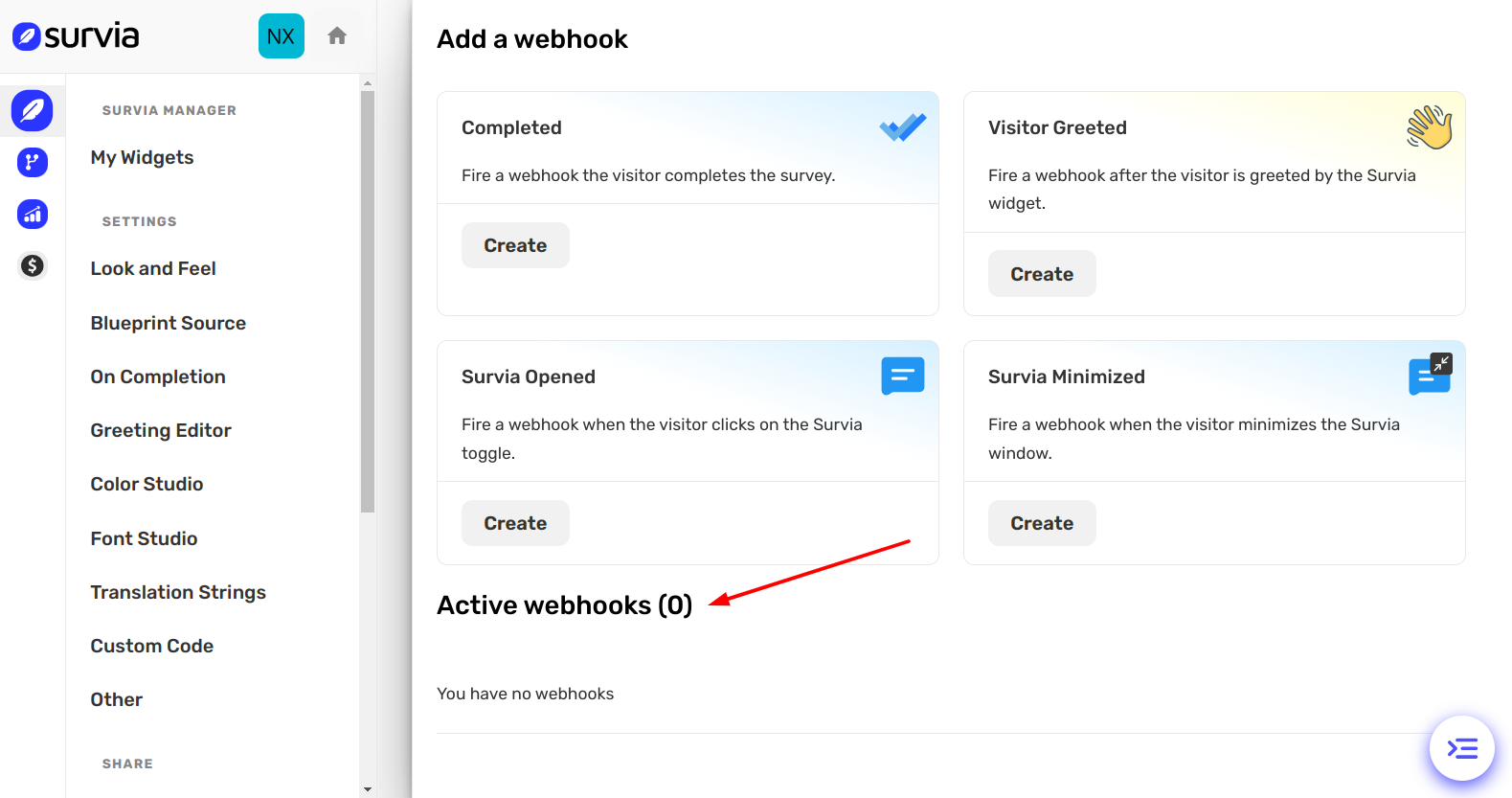
Once your webhooks are set up, you can see them in the Active Webhooks section of the Webhooks page. If you have no active webhooks yet, it will display a message like "You have no webhooks."
You can also deactivate or edit your webhooks as needed.
By integrating Survia with other tools using webhooks, you can automate workflows, capture data, and extend the functionality of your survey beyond Survia itself. If you need further assistance, feel free to reach out to our Help Center.